




















Exporting a Report to the File
Our sample projects and report templates can help you learn the basics of working with our products.This example is outdated, you can check out the many other new examples in this category.This sample project shows how to export a report shapshot item to the file on the hard drive. For this purpose you can use the export REST command of the reportsnapshots commands group. As parameters, you need to specify the file item name and the export set with the export parameters. These parameters can be passed as the request post data:
You can use the following methods to send the request to the server and get the requested result:
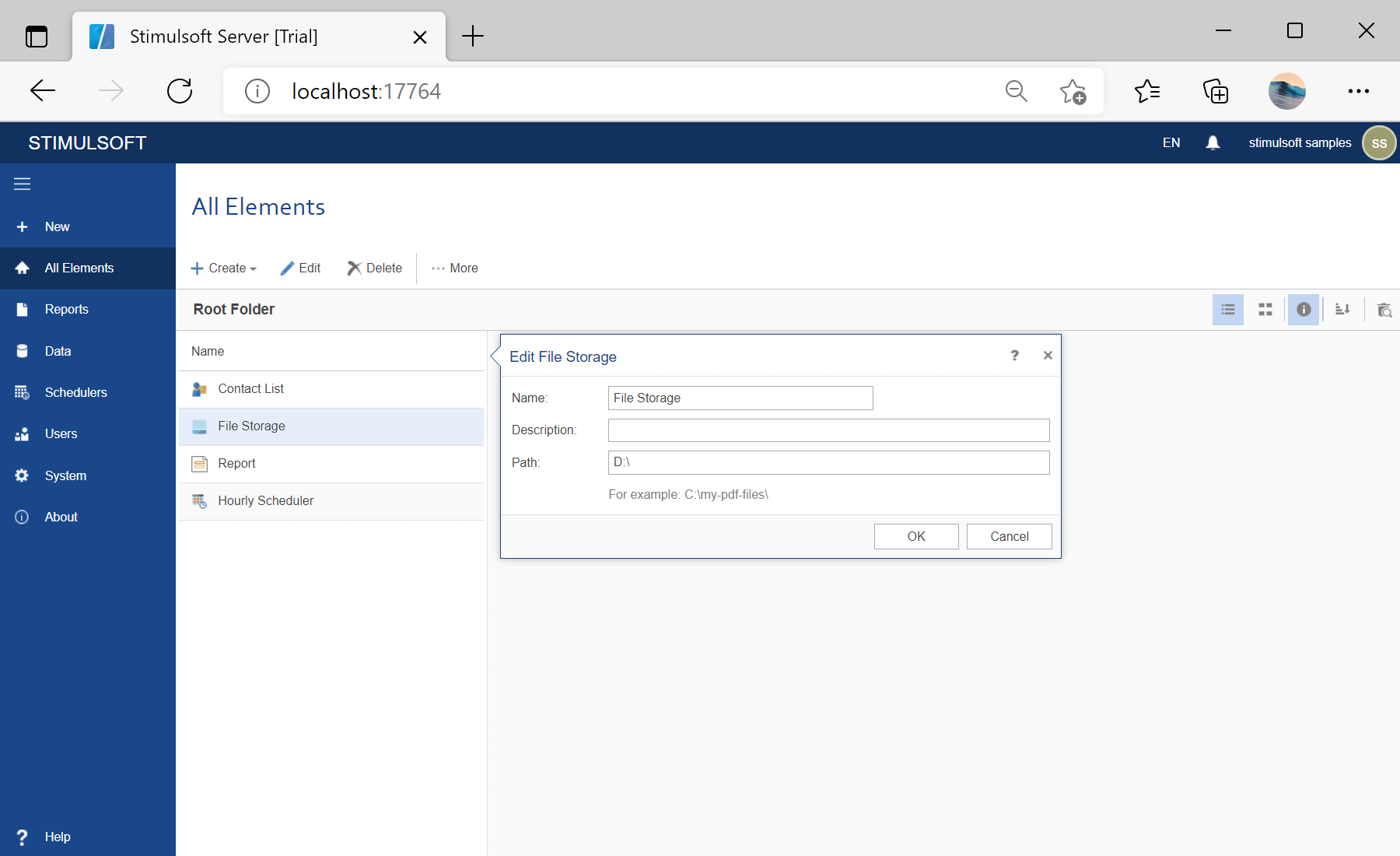
In the screenshot below you can see the result of the sample code:
var reportSnapshotKey = "d01381b33e664738bdb6ee0cf410d869";
var fileStorageKey = "df4b46e06f6d4df7b919cde7a904f86c";

var url = "http://localhost:40010/1/reportsnapshots/" + reportSnapshotKey + "/export";
var requestRun = WebRequest.Create(url);
requestRun.Method = "PUT";
requestRun.ContentType = "application/x-www-form-urlencoded";

requestRun.Headers.Add("x-sti-SessionKey", sessionKey);
requestRun.Headers.Add("x-sti-DestinationItemKey", filefolderKey);

postData = "{ 'FileItemName':'ExportReport.pdf', 'ExportSet':{ 'Ident':'Pdf','PageRange':{ },
'EmbeddedFonts':false,'DitheringType':'None','PdfACompliance':true} }";

Request(requestRun, postData);
s = GetResponseResult(requestRun);
You can use the following methods to send the request to the server and get the requested result:
private void Request(WebRequest request, string postData)
{
	var bytesCreateSnapshot = Encoding.GetEncoding(1251).GetBytes(postData);
	request.ContentLength = bytesCreateSnapshot.Length;
	using (Stream ws = request.GetRequestStream())
	{
		ws.Write(bytesCreateSnapshot, 0, bytesCreateSnapshot.Length);
		ws.Flush();
	}
}

private string GetResponseResult(WebRequest request)
{
	var resp = request.GetResponse();
	var respStream = resp.GetResponseStream();
	if (respStream != null)
	{
		using (var stream1 = new StreamReader(respStream))
		{
			var s = stream1.ReadToEnd();
			return s;
		}
	}
	return null;
}
In the screenshot below you can see the result of the sample code: